
Phishing Attacks
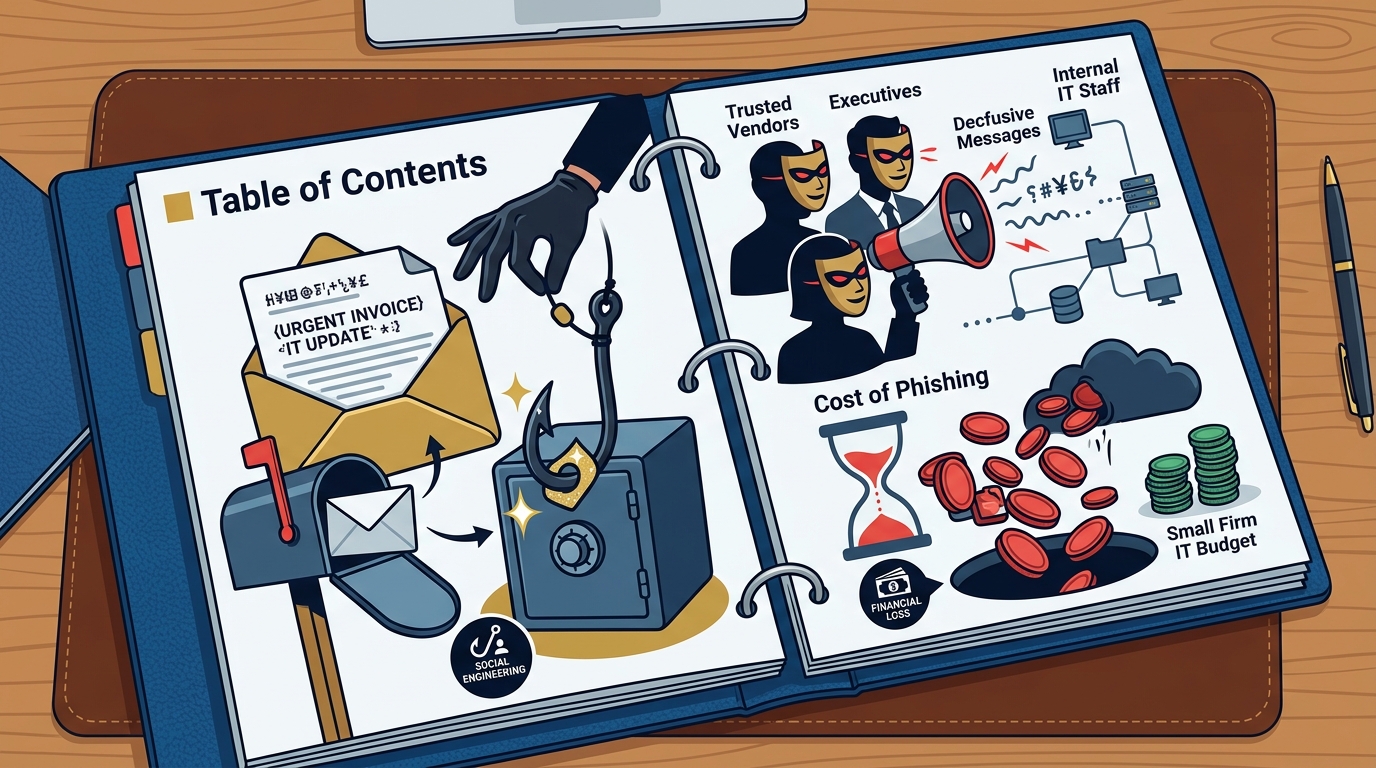
Phishing is a social engineering attack where criminals send fraudulent communications to trick users into revealing sensitive information. For small businesses, phishing remains the primary entry point for more complex breaches. Attackers often impersonate trusted vendors, executives, or internal IT staff to bypass skepticism. The cost of a single successful phishing incident can exceed the annual IT budget of a small firm. For additional details, review the .
Types of Phishing Relevant to SMBs
Mitigation Strategies
Technical controls alone cannot stop phishing. Multi-factor authentication (MFA) is the single most effective technical defense. If a credential is stolen, MFA prevents the attacker from accessing the account. Email filtering solutions help block known malicious domains, but they are not foolproof. Users must remain vigilant and verify requests through out-of-band channels. For additional details, review the Customer Experience.
Password Management
Password management is the practice of creating, storing, and using strong credentials securely. Weak password practices are a leading cause of data breaches in small businesses. Many employees reuse passwords across personal and professional accounts. When one service is breached, attackers use the stolen credentials to access corporate systems. This technique is known as credential stuffing. For additional details, review the Frequently Asked Questions.
The Role of Password Managers
A password manager is a tool that generates and stores complex, unique passwords for each account. Using a password manager eliminates the need for humans to memorize long strings of characters. It also provides a secure vault for sharing credentials among team members. Without a password manager, employees are likely to use simple, guessable passwords like "Password123" or their pet's name. For additional details, review the About.
Policy Implementation
Small businesses should enforce a strict password policy. This policy should require unique passwords for every service. It should also mandate the use of a password manager for all staff. Regular audits can identify accounts that still use weak or reused credentials. TGE SC. emphasizes that security is a design choice, not an afterthought, and proper credential hygiene is foundational to that design.
Unpatched Software
Unpatched software is a critical vulnerability that allows attackers to exploit known security flaws. Software vendors release patches to fix bugs and security holes. If a business fails to apply these updates, its systems remain exposed to attacks that have already been publicly documented. Attackers actively scan the internet for unpatched systems to deploy malware automatically.
Why Small Businesses Struggle with Patching
Small businesses often lack dedicated IT staff to manage updates. They may fear that patches will break critical applications or disrupt operations. This hesitation creates a window of vulnerability. A single unpatched server can compromise the entire network. Automated patch management tools can reduce the manual burden and ensure timely updates.
Best Practices for Patching
Establish a clear patch management schedule. Critical security patches should be applied within 48 to 72 hours of release. Test patches in a non-production environment before deploying them to live systems. Maintain an inventory of all software and hardware assets to ensure nothing is overlooked. Regular vulnerability scans can identify systems that are missing critical updates.
Ransomware
Ransomware is malicious software that encrypts a victim's files and demands payment for the decryption key. Ransomware attacks have become a primary threat to small businesses in the USA. Attackers know that small firms often lack robust backups and may pay the ransom to restore operations quickly. The average cost of a ransomware attack for a small business can range from tens of thousands to hundreds of thousands of dollars.
Prevention and Recovery
Prevention is the first line of defense against ransomware. Network segmentation limits the spread of malware if an initial infection occurs. Disabling unnecessary remote access protocols reduces the attack surface. However, prevention is not always successful. A robust backup strategy is essential for recovery. Backups should be stored offline or in an immutable cloud storage location that is separate from the main network.
Incident Response Planning
Cloud Misconfiguration
Common Cloud Security Errors
One of the most common errors is leaving storage buckets public. This allows anyone on the internet to view or download sensitive files. Another error is granting administrative privileges to too many users. If one account is compromised, the attacker gains full control of the cloud environment. Lack of logging and monitoring means these issues often go undetected for months.
Securing Cloud Environments
Use cloud provider tools to audit configurations regularly. Enable logging and alerting for security events. Follow the principle of least privilege when assigning user permissions. Consider using a cloud security posture management tool to automatically detect misconfigurations. TGE SC. offers AI-assisted infrastructure planning that helps validate build plans and reduce configuration errors in complex technical environments.
Employee Training
Employee training is the process of educating staff on security best practices and threat awareness. Technology controls are only as effective as the people using them. Employees are often the weakest link in the security chain. They may click on suspicious links, share passwords, or plug in untrusted USB drives. Regular training helps build a culture of security awareness.
Effective Training Programs
Training should be ongoing, not a one-time event. Use simulated phishing campaigns to test employee awareness and provide immediate feedback. Keep training sessions short and relevant to the specific tools and threats the business faces. Reward employees who report suspicious activity. Make security a shared responsibility rather than an IT-only concern.
Measuring Training Effectiveness
Track metrics such as click rates on simulated phishing emails and time to report. Compare these metrics over time to measure improvement. Identify employees who consistently fail training and provide additional coaching. A well-trained workforce is a powerful defense against social engineering attacks.
Key Takeaways
- Phishing is the most common initial attack vector for small businesses.
- Multi-factor authentication is the most effective technical defense against credential theft.
- Password managers are essential for enforcing unique, strong credentials across all accounts.
- Unpatched software exposes systems to known vulnerabilities that attackers actively exploit.
- Ransomware requires both prevention controls and robust, offline backup strategies for recovery.
- Cloud misconfiguration is a leading cause of data leaks in small businesses using cloud services.
- Employee training is critical for building a culture of security awareness and reducing human error.
- Small businesses should prioritize security as a core design principle, not an afterthought.
Frequently Asked Questions
What is the most common security vulnerability for small businesses?
Phishing attacks are the most common security vulnerability for small businesses. They exploit human error rather than technical flaws, making them difficult to prevent with technology alone.
How can small businesses prevent ransomware attacks?
Small businesses can prevent ransomware by implementing network segmentation, disabling unnecessary remote access, and maintaining offline backups. Regular patching and employee training also reduce the risk of initial infection.
Why is password management important for small businesses?
Password management is important because weak or reused passwords are a leading cause of data breaches. Using a password manager ensures that each account has a unique, strong password, reducing the risk of credential stuffing attacks.
What is cloud misconfiguration?
How often should small businesses update their software?
Small businesses should apply critical security patches within 48 to 72 hours of release. Regular updates help close known vulnerabilities that attackers actively exploit.
What role does employee training play in security?
Employee training plays a critical role in security by building awareness of threats like phishing and social engineering. Well-trained employees are less likely to make errors that compromise the network.
How can TGE SC. help small businesses with security?
TGE SC. provides AI-assisted infrastructure planning and operational agent services that help validate build plans and reduce configuration errors. Their focus on local-first, offline-capable tools ensures that security is built into the design from the start.
Conclusion
Small businesses in the USA face significant security challenges, but they are not defenseless. By understanding the most common vulnerabilities, such as phishing, poor password management, unpatched software, ransomware, cloud misconfiguration, and inadequate training, businesses can take proactive steps to protect their operations. TGE SC. is committed to helping small businesses secure their digital environments with innovative, local-first tools. Visit TGE SC. to learn more about how their AI-assisted planning and operational agents can strengthen your security posture.