
Which Credential Scanning Tool Works Inside GitHub CI/CD Pipelines?
For most engineering teams, gitleaks is the most reliable credential scanning tool for GitHub CI/CD pipelines due to its speed, low false-positive rate, and native GitHub Action support. This guide compares gitleaks, GitHub Secret Scanning, and TruffleHog to help you choose the right security layer. We also cover how to integrate these tools into your workflow to prevent data leaks before deployment. For additional details, review the .
Gitleaks: The Standard for Git Repositories
Gitleaks is a static analysis tool designed to detect hardcoded secrets in Git repositories. It operates by scanning the entire history of a repository, not just the current state of the code. This capability is critical because secrets often remain in the git history even after developers delete them from the active codebase. For additional details, review the About.
Why Gitleaks Excels in CI/CD
In a CI/CD context, Gitleaks is often the first line of defense. It runs quickly during the build phase, providing immediate feedback to developers. The tool supports a "pre-commit" hook mode, which prevents secrets from being committed in the first place. This proactive approach reduces the noise in the CI pipeline by catching issues at the source.
GitHub Secret Scanning: Native Platform Protection
Limitations of Native Scanning
While convenient, GitHub Secret Scanning has limitations. It primarily focuses on secrets that match known patterns from major providers. It may miss custom or proprietary credential formats that do not fit standard regex patterns. Additionally, its scanning depth is limited to the repository's current state and recent history, potentially missing older leaks.
Teams using GitHub Secret Scanning should complement it with a more comprehensive tool like Gitleaks or TruffleHog. The native feature serves as a safety net, but it should not be the sole credential scanning mechanism for sensitive environments. Understanding these limitations helps in designing a robust security strategy.
TruffleHog: Deep Dive into Secrets
Performance Considerations
The verification step in TruffleHog can be resource-intensive, especially for large repositories with many potential secrets. This may increase the execution time of your CI/CD pipeline. Teams need to balance the thoroughness of TruffleHog with the speed requirements of their deployment process. Optimizing the scan scope and caching results can help mitigate these performance impacts.
Despite the overhead, the accuracy of TruffleHog makes it a valuable tool for high-security environments. It provides a higher level of confidence that detected secrets are genuine threats. For organizations with strict compliance requirements, this level of detail is often worth the additional processing time.
Credential Scanning Tools: Key Definitions
To make an informed decision, it is essential to understand the core concepts behind credential scanning. These definitions provide a foundation for evaluating different tools and strategies.
What is a Credential Scanning Tool?
A credential scanning tool is a software utility that automatically detects hardcoded secrets, API keys, and passwords in source code and configuration files. Its primary purpose is to prevent data breaches caused by accidental exposure of sensitive information in public or private repositories.
What is a False Positive?
A false positive is a detection where the tool flags a string as a secret, but it is actually a placeholder, a test value, or a non-sensitive string. High false positive rates can lead to alert fatigue, where developers ignore warnings, reducing the effectiveness of the security tool.
What is Secret Rotation?
Secret rotation is the process of replacing an exposed credential with a new one to invalidate the leaked secret. This is a critical remediation step after a credential leak is detected. Automated rotation capabilities can significantly reduce the time to remediate security incidents.
GitHub Actions Integration Strategies
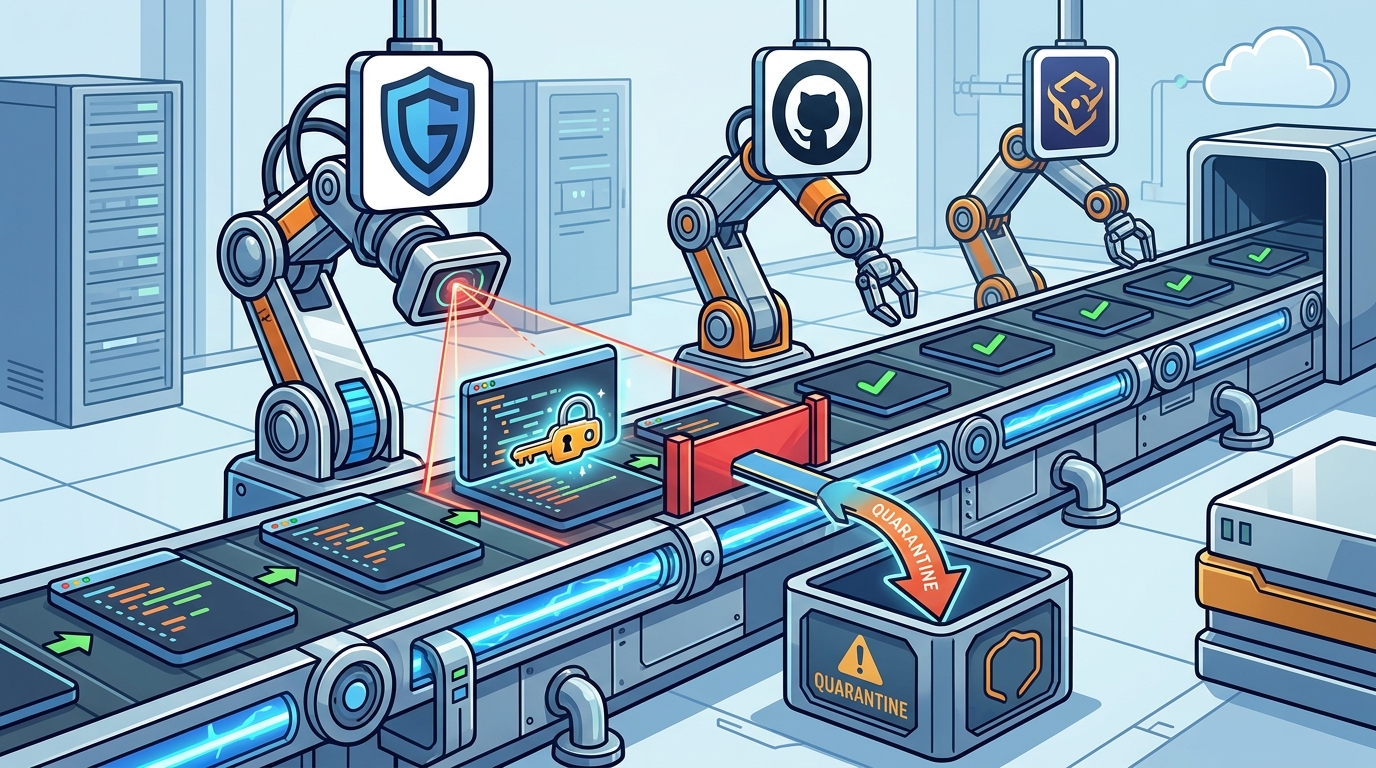
Integrating credential scanning tools into GitHub Actions is the most effective way to enforce security policies. The integration process involves adding a step to your workflow file that runs the scanner and fails the build if secrets are detected. This ensures that no code containing secrets can be merged or deployed.
For Gitleaks, the integration is straightforward using the official GitHub Action. The action can be configured to scan the entire repository history or just the changed files. For TruffleHog, the integration may require more complex setup due to its verification capabilities. Teams should start with a simple integration and gradually expand the scope as they gain confidence in the tool's accuracy.
Best Practices for Pipeline Integration
When integrating scanners, it is important to define clear policies for handling detected secrets. Should the build fail immediately, or should it warn and allow manual review? For most teams, failing the build is the safest approach. Additionally, teams should establish a process for triaging and remediating detected secrets to ensure they are addressed promptly.
Regularly updating the scanner rules and tool versions is also crucial. New secret patterns and vulnerabilities are discovered frequently, and keeping your tools up to date ensures you are protected against the latest threats. Automating these updates can help maintain a consistent security posture.
Comparison of Top Credential Scanners
The following table summarizes the key features of the three main credential scanning tools discussed in this guide. This comparison helps in selecting the right tool for your specific needs.
| Primary Method | Regex Pattern Matching | Pattern Matching + API Validation | Pattern Matching + API Validation |
| History Scanning | Yes (Full History) | Limited (Recent History) | Yes (Configurable) |
| False Positive Rate | Low to Medium | Low | Very Low |
| Performance Impact | Low | Low | Medium to High |
| Custom Rules | Yes | No | Yes |
| Native GitHub Integration | Yes (Action) | Yes (Native) | Yes (Action) |
Key Takeaways
- Gitleaks is the best choice for most teams due to its speed, configurability, and low false-positive rate.
- GitHub Secret Scanning provides a convenient native safety net but lacks the depth of dedicated tools.
- Integrating scanners into GitHub Actions is essential for enforcing security policies automatically.
- Use baseline files to manage legacy secrets and reduce alert fatigue.
- Regularly update scanner rules to protect against new vulnerability patterns.
- Combine multiple tools for a layered security approach, using native scanning as a backup.
- Establish a clear process for secret rotation and remediation after detection.
Frequently Asked Questions
Can I use multiple credential scanning tools in the same pipeline?
Yes, you can use multiple tools. A common strategy is to use Gitleaks for fast, broad scanning and TruffleHog for deep validation of high-risk areas. This layered approach provides comprehensive coverage without significantly impacting performance.
How do I handle false positives in Gitleaks?
You can use the --allowlist flag or a baseline file to ignore specific false positives. It is important to review each false positive to ensure it is not a genuine secret. Documenting the reason for ignoring a detection helps maintain audit trails.
Does GitHub Secret Scanning work with private repositories?
Yes, but it requires a paid GitHub plan or enterprise features. For free accounts, secret scanning is only available for public repositories. Teams on free plans should consider using third-party tools like Gitleaks for private repository protection.
What is the difference between scanning history and scanning the current state?
How often should I run credential scans?
You should run scans on every commit and pull request. This ensures that no secrets are introduced into the codebase. Additionally, periodic full-history scans can help identify older leaks that may have been missed by incremental scans.
Can credential scanning tools detect secrets in binary files?
Conclusion
By integrating these tools into your GitHub Actions workflows and establishing clear policies for remediation, you can significantly reduce the risk of credential leaks. TGE SC provides veteran-owned security tooling that aligns with these best practices, offering local-first, offline-capable solutions for teams that prioritize data sovereignty and operational security. Start by implementing Gitleaks in your pipeline and gradually expand your security posture as your needs evolve.